# Enquiry Form
Use this to add an Enquiry Form to any page.
To use this content block, you must first have set up the [Form](https://bookstack.iconography.co.uk/books/forms) that you wish to embed.
## Appearance
[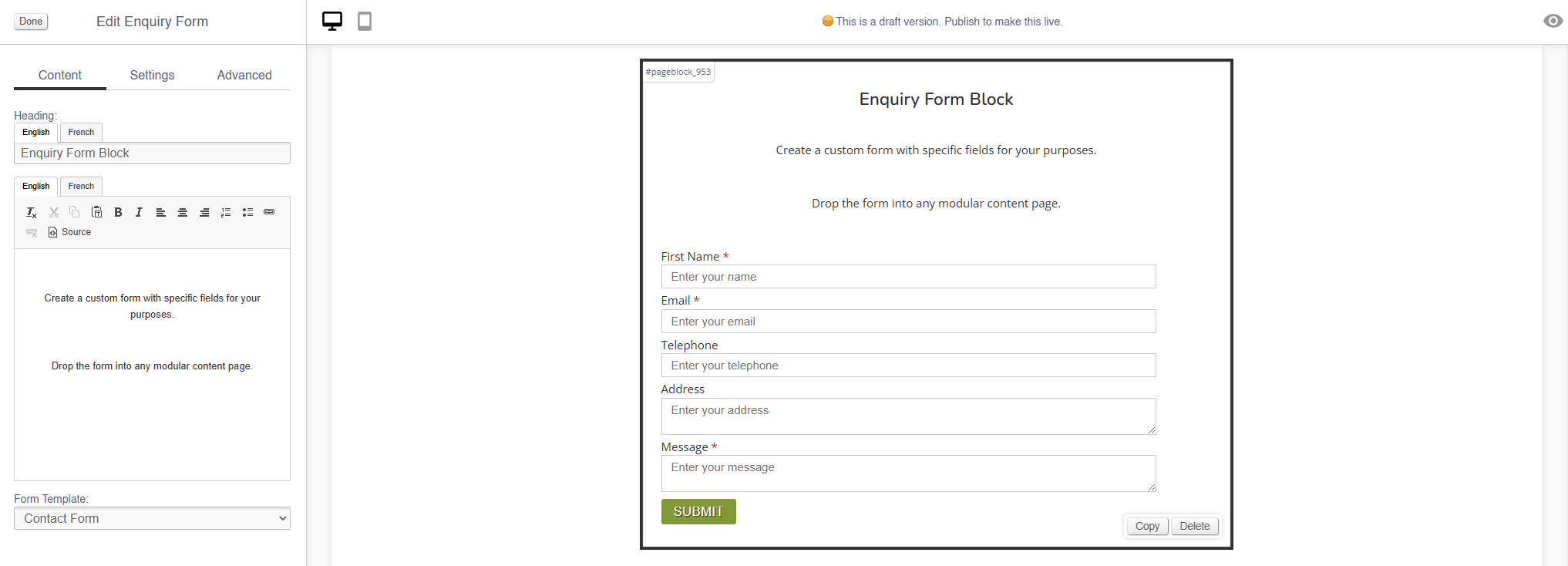](https://bookstack.iconography.co.uk/uploads/images/gallery/2024-11/Yabimage.png)
## Editing the Block
### Content
| Field | Purpose |
| Heading | *Enter a short block title - this will show above the main content of the block* |
| Body Text | *Enter some short text that will show above the form* |
| Form Template | *Select you Form Template from the list* |
### Settings
| Field | Purpose |
| Block Width | *Choose from:*
- *25%*
- *33%*
- *50%*
- *66%*
- *75%*
- *100%*
- *Full Width (set to always be the full width of the user's device)*
|
| Visibility | *Set the block visibility from the list:*
- *Default (both)*
- *Desktop Only*
- *Mobile Only*
- *Hidden (none)*
|
| Heading Position | *Alter the alignment of the block header:*
- *Left*
- *Central*
- *Right*
|
Advanced
#### Padding
Adding padding will insert space within the current block; this will adjust the position of content within the block.
More information is available [here](https://bookstack.iconography.co.uk/books/general/page/padding).
#### Margin
The margin will add additional space around the current block.
More information is available [here](https://bookstack.iconography.co.uk/books/general/page/margin).