Unique Stock Records (AKA USRs)
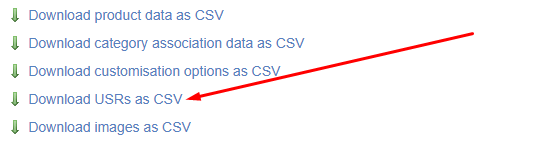
This may be used as an import or an export.
The file looks like this:

Import
Amend your file and upload it; this will update USRs which are in the file, based on Barcode.
| Field | Purpose |
| code | Read only - this is use to identify the related Variant |
| barcode | Read only - this is used to identify the USR that needs to be updated |
| label |
Use this to set the USR Label
This may also be referred to as the 'sub variant label' |
| price |
Use this to set the Price of the USR
This will only be used where it is enabled (see below) |
| specialprice |
Use this to set the Special Offer Price of the USR
This will only be used where it is enabled (see below) |
| rrp |
Use this to set the RRP of the USR
This will only be used where it is enabled (see below) |
| trade_price |
Use this to set the Trade Price of the USR
This will only be used where it is enabled (see below) |
| trade_specialprice |
Use this to set the Trade Special Offer Price of the USR
This will only be used where it is enabled (see below) |
| trade_rrp |
Use this to set the Trade RRP of the USR
This will only be used where it is enabled (see below) |
| costprice |
Use this to set the Cost Price of the USR
This will only be used where it is enabled (see below)
This will not be editable if you have the 'multiple suppliers' config enabled |
| vlive |
This sets whether the USR is live on your website; choose from
|
| vlivepos |
This sets whether the USR is live in your POS; choose from
|
Export
Use the filters to narrow your selection, then click 'Export'. This will generate a file that will include all Customisations for products that match your filters.
Mapping
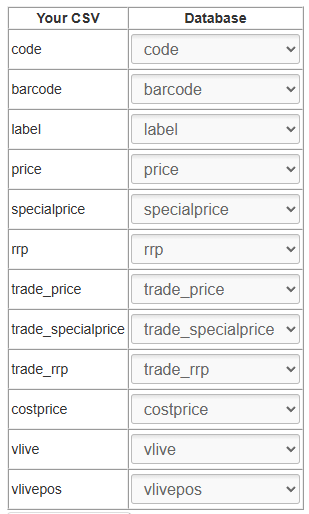
You will need to map your data before it can be imported. Included below is the optimal mapping/spreadsheet structure.
Mistakes made here may have serious impact on your Product database.