Summary
This section is used to manage products in bulk. It can be used to import Product information via CSVs.
Data can be exported via the Product Lookup screen.
It is possible to use this feature to edit existing products and create new products
File Types
There are six file types:
Field Mapping
When importing a file, you will need to ensure that the columns in your spreadsheet are mapped to IXO Commerce database fields. Your column headers will be shown on the left hand side of a table; choose from the drop down to match to a field.
Mistakes made here may have serious impact on your Product database.
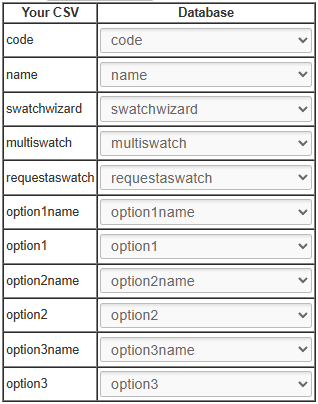
IXO Commerce will attempt to match fields to columns based where possible.
When managing Product (Variant) imports, it is also possible to create pre-sets
FAQs
When will a new Product be created?
If you are uploading a Product (Variant) import, the system will perform a lookup for the SKU codes in your spreadsheet. If the SKU code exists, that Variant will be updated to match the data in your spreadsheet. If it does not exist, a new one will be created.