The Label is optional, and is used to find your price changes once they have been uploaded; these are visible in the [Timed Pricing](https://bookstack.iconography.co.uk/books/other-reports/page/timed-pricing "Timed Pricing") report
[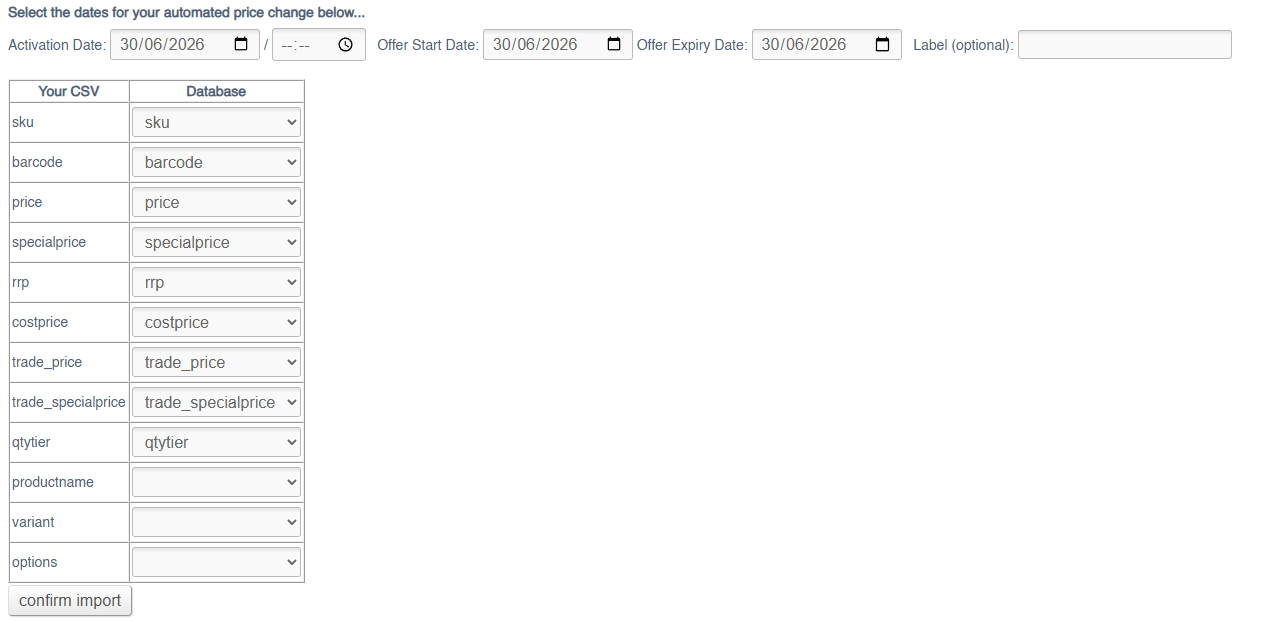](https://bookstack.iconography.co.uk/uploads/images/gallery/2026-06/oAlimage.png) ## Export To export prices via a CSV, use the search and filters to locate the Products and Unique Stock Records that you need to edit. You can then export ### Filters This screen can be filtered by: - Product Search (SKU Code/Name) - Category - Supplier - Brand - Collection - Include Unique Stock Records (see below) ### Unique Stock Records If checked, Unique Stock Records will be shown, and pricing may be updated.To be shown a Unique Stock Record must be enabled for POS or Web
[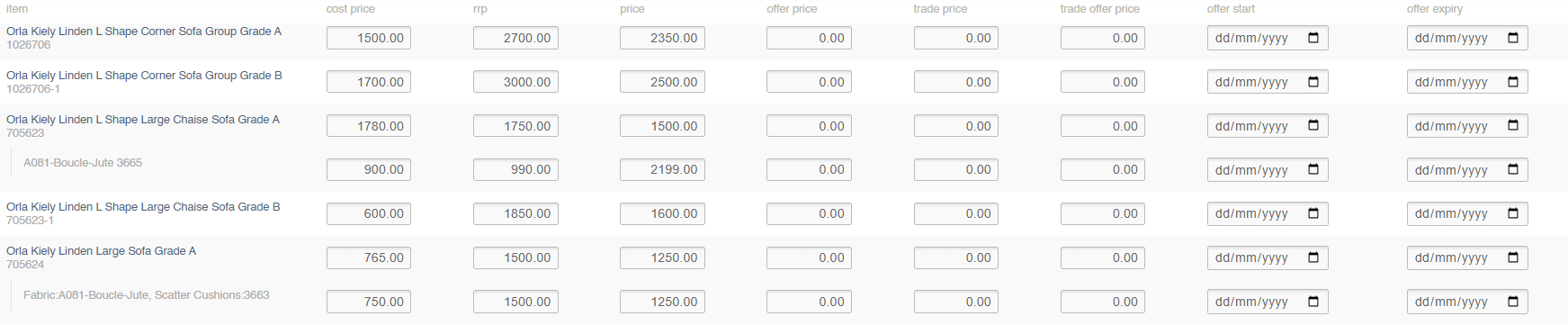](https://bookstack.iconography.co.uk/uploads/images/gallery/2026-03/QdNimage.png) ### Price Management File Use this file to adjust prices on your selected Products and Unique Stock Records. [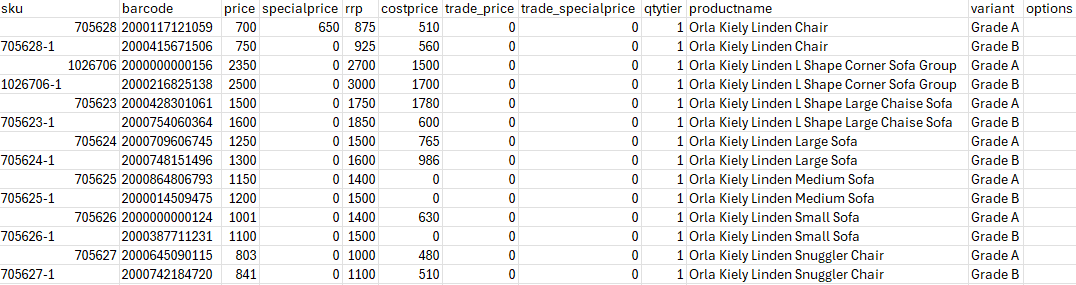](https://bookstack.iconography.co.uk/uploads/images/gallery/2026-03/VhTimage.png)| Field | Purpose |
| sku | SKU Code of the Product |
| barcode | Barcode of the Product/Unique Stock Record (for Unique Stock Records, this will take precedence on import) |
| price | *The selling price of the Variant* *Defaults to 0* |
| specialprice | *A retail offer price for the [Variant](https://bookstack.iconography.co.uk/books/categories/page/variants "Variants") (this will supersede the Retail field), if enabled by the Offer Start/Expiry* *Defaults to 0* |
| rrp | *The RRP of the [Variant](https://bookstack.iconography.co.uk/books/categories/page/variants "Variants"), to show on the website* *Defaults to 0* |
| costprice | *The cost price of the [Variant](https://bookstack.iconography.co.uk/books/categories/page/variants "Variants")*
*Defaults to 0*
*May be set per [Supplier](https://bookstack.iconography.co.uk/books/categories/page/suppliers "Suppliers") enabled for this Product*
*This may only be used if the Product is linked to a single Supplier. If there are multiple Suppliers, you will need to use the [Cost Price](https://bookstack.iconography.co.uk/books/general/page/cost-price "Cost Price") import.* |
| trade\_price | *The trade selling price of the Variant* *Defaults to 0* |
| trade\_specialprice | *A trade offer price for the [Variant](https://bookstack.iconography.co.uk/books/categories/page/variants "Variants") (this will supersede the Retail field), if enabled by the Offer Start/Expiry* *Defaults to 0* |
| qtytier | Use to enter and control tiered pricing linked to quantity sold |
| productname | Shows the Product Name
Not editable via in this import/export |
| variant | Shows the Product Variant Options
Not editable via in this import/export |
| options | Shows the Customisations linked to a specific Unique Atock Record
Not editable via in this import/export |