
Assignment Rules
These rules can be used to automatically attach Addons to Products; it is also possible to assign these manually to individual products on the Addons tab when when editing a Product.
How Assignment Rules Work
The user sets up several rules, by which the website can check whether any product qualifies for cross-selling.
Through this method, when products become eligible, those cross-sells will apply immediately.
When a product ceases to be eligible, those cross-sells will immediately be removed.
Setting Up New Rules
Overlay Rules are managed in the second tab of the Edit Addon screen.
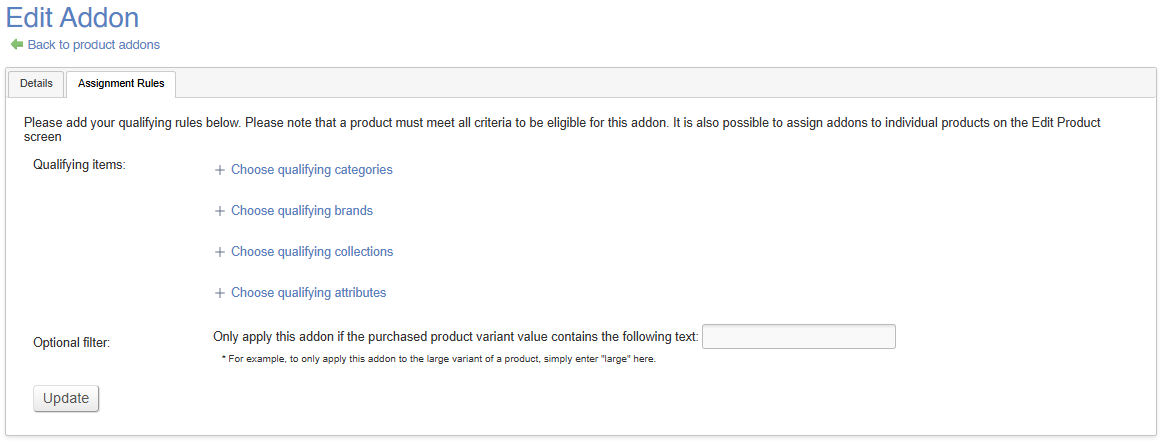
Simply select the criteria that you wish to apply to your Rule.
Assignment Rules work on an AND basis. That means that in order for a rule to be applied, all criteria must be met.
E.g. Products in the 'Sofa' category that also have the 'Leather' attribute
Once added, this will be automatically active, and all live Products will display the relevant cross-selling selections.
If you want your rule to apply to only certain Variants, use the Optional Filter; simply enter the string that should be present
For example to upsell a 'Single Mattress' to all Products in the 'Bedframes' category, simply enter 'Single' in the optional filter, and it will only apply to Variants with 'Single' entered as the optional value
To further restrict this, tick 'exact match only', which will ensure a precise match, e.g. differentiating between 'Large Single' and 'Small Single'