Adding a New Unique Stock Record
A Unique Stock Record is a version of a Variant to which Customisations have been applied.
There are several ways in which a new Unique Stock Record will be created.
Automatically when an item is ordered from a Supplier
Whenever a Made to Order item is ordered from a Supplier via a Purchase Order, a Unique Stock Record will be created; this occurs when the Purchase Order is submitted.
This is done so that the stock is tracked correctly.
It also means that if the same combination of Customisations are selected on a Sales Order, that Sales Order Line may be allocated to that Purchase Order Line.
Manually via the Inventory Tab
This may also be made manually via the Inventory tab.
On Made to Order Products, this may be done via the Inventory Tab.
Made to Order Products
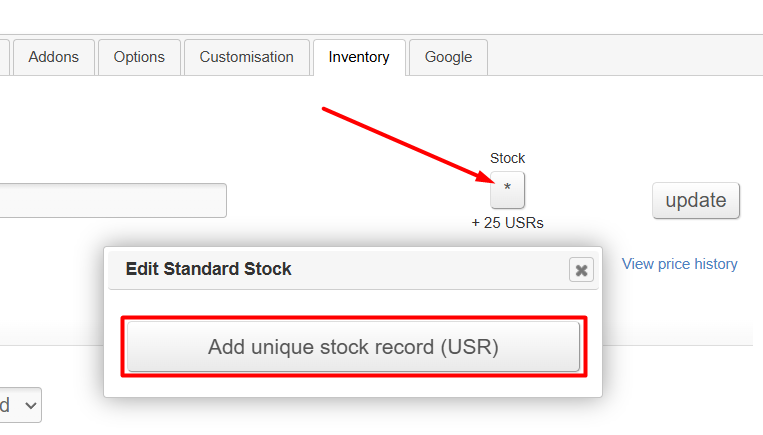
For these, you can simply click on the stock button and press 'Add unique stock record (USR)'.
Standard Products
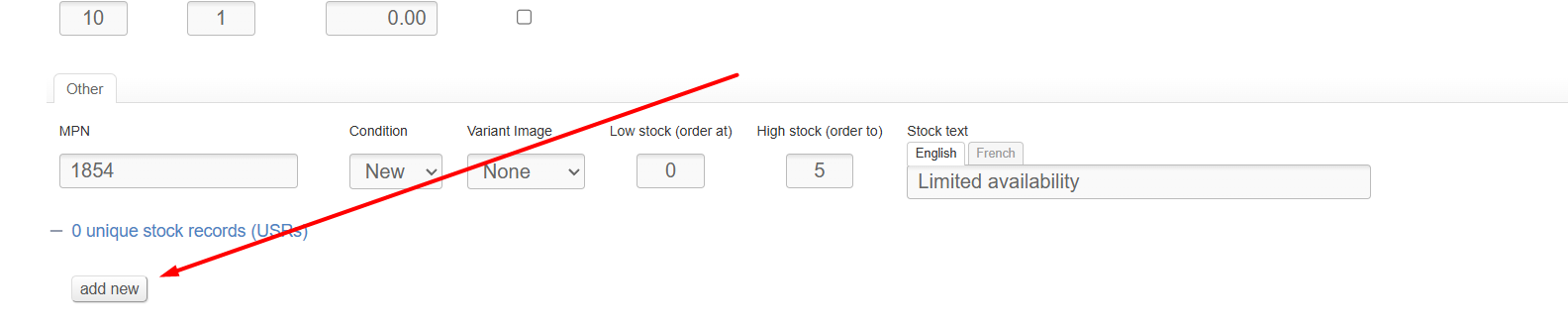
For Standard Products, you will need to go to the bottom of the Variant in the Inventory tab. Then simply press the 'add new' button.
If this button does not display, you may need to expand the USR section using the + icon
Build a New Unique Stock Record
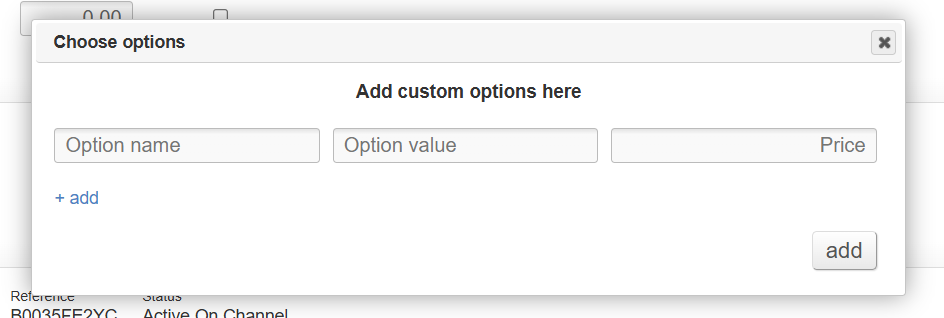
When adding a brand new Unique Stock Record, you will be prompted to select options.
If the Product is set up with Customisations, then you will choose from those available.
If the Product does not have Customisations, then you will be able to manually enter differences.
A USR added in this way will have zero units of stock, and will be disabled. You can then enable it for sale or add it to a Purchase Order as necessary.
Convert Existing Stock
This is best used when marking units of stock as damaged, e.g.

This can then be sold as a separate reduced price item, or left for reference purposes.
How to convert existing stock
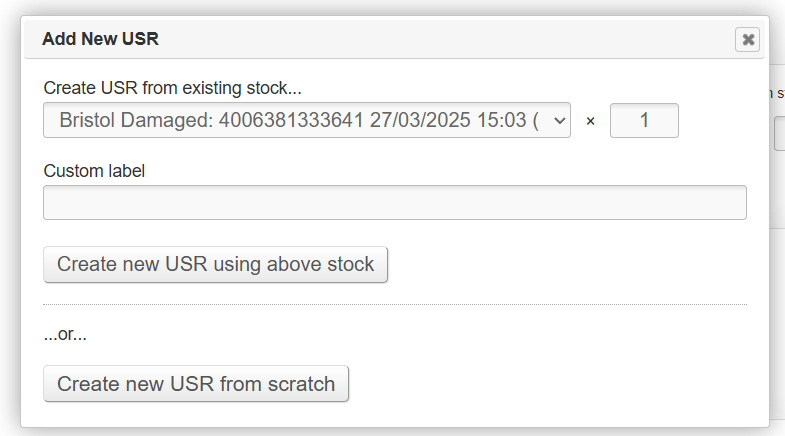
When creating a new Unique Stock Record, if the parent Variant has stock, you will be given the option to Create a Unique Stock Record from existing stock.
You will use the same method to select Customisations.
If you do this, it will create a Unique Stock Record, and will give it a stock level equal to that which you select in the top two fields. The stock of the parent Variant will be reduced by a corresponding figure. Essential information about the Stock Record, e.g. Purchase Order, Cost Price, age, etc., will be preserved as the stock is moved to the USR.