
Transactions
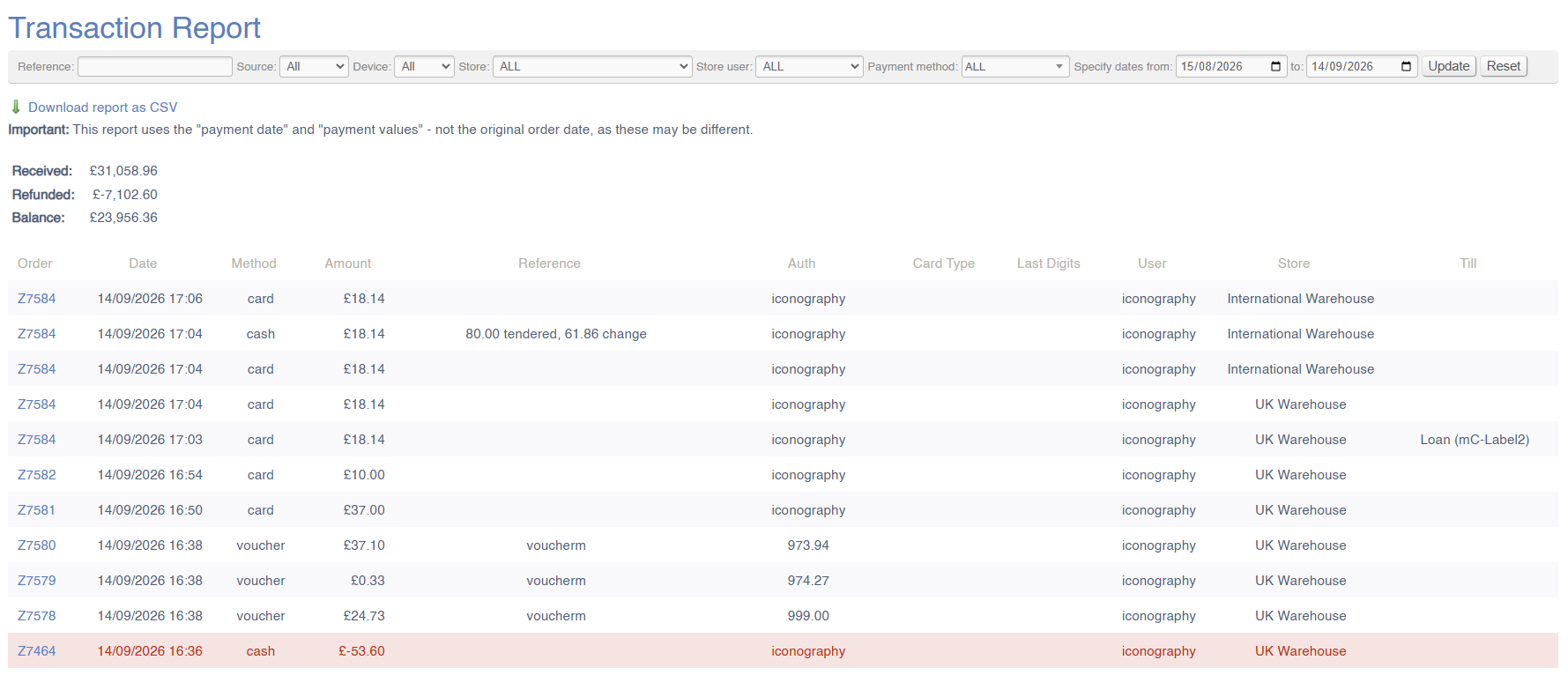
This report will show a breakdown of company-wide payments within a given period. This will include the detail of all payments logged within the specified date ranges.
Each payment (or refund) will be listed individually.
'Payment Date' for pending payment (e.g. finance orders) will be taken as the date that the payment was completed
This reporting excludes cancelled payments
Where payments are added via the POS, if the User has enabled a receipt printer in Device Settings, the Label for that Printer will be logged under the till column. If no data is entered in that column, this signifies that the entry was a Back Office payment.
Filters
This report may be filtered by:
- Payment Reference
- Source
- Device
- Store
- Store User
- Payment Method
- Date Range
Key to icons
 = download report
FAQs
FAQs for Payment Reports may be viewed here.