
Sell Through
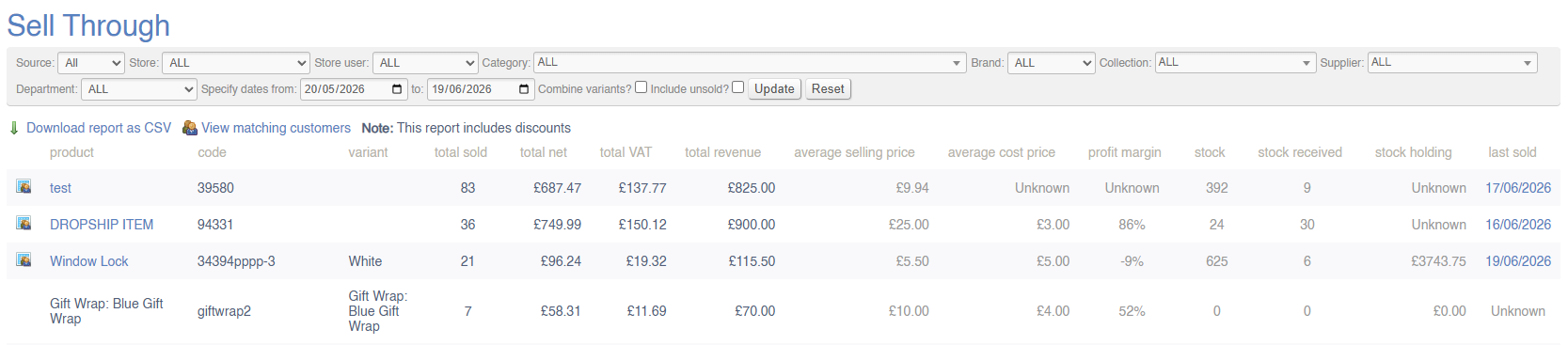
This report will show a breakdown of company-wide sales within a given period; the value of sales will be split by Variant.
If you prefer, use the Combine Variants checkbox to view this report by Product instead of by Variant.
By default, this report will exclude unsold items, but it is possible to include unsold items by using the checkbox.
Filters
This report may be filtered by:
- Source
- Device
- Store
- Store User
- Department
- Category
- Brand
- Collection
- Supplier
- Date Range
Key to icons
 = view customers who bought this product in this time period
 = download report
 = view matching customers (customers who completed a purchase within this date range and matching any other filters applied)
For more information on margin calculation, click here
Fields
| Field | Purpose |
| Stock |
This column shows stock added to the system within the selected time period. This will include:
It does not deduct from this figure to allow for stock leaving the business by any reason |
FAQs
FAQs for Sales Reports may be viewed here.