
How to access the CMS
To access the CMS, you will need a User to be created. This is done via the Update Users screen by a Super User.
The user must be 'enabled' for them to log in
Login via a Password
On first login, it is best practice for that use to immediately change their password and/or set up their pin.
This is done via the My Details screen.
Login via a Pin
From the My Details screen, it is also possible to set up a Pin (if the User has been granted permission to do so).
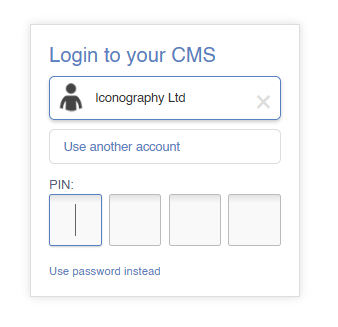
When logging into a Trusted Device, if a pin has been set, the user will be prompted to enter their pin, rather than their password.
Trusted Devices
A device will automatically be marked as trusted once a user has logged in via their CMS username/password for the first time.
This will expire every 30 days, and a user will have to log in properly again. Please not that on shared computers, it will not prompt the user to add a saved password.