
Header
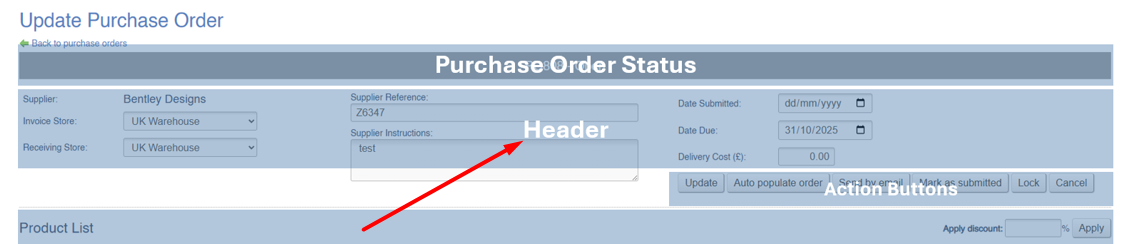
Use the Purchase Order header to amend essential information regarding the Purchase Order.
| Field | Purpose |
| Supplier |
The Supplier linked to this Purchase Order
This field is locked and can not be changed |
| Invoice Store |
The invoice Store for this Purchase Order
On new Purchase Orders, this will default to that set against the Store
If additional lines are added through the collation of Purchase Orders, the invoice Store will be updated to match the default of the selling Store; if this has been manually altered, it may need to be reviewed prior to invoicing |
| Receiving Store |
The receiving Store for this Purchase Order
On new Purchase Orders, this will default to that set against the Store |
| Supplier Reference |
Enter a Supplier Reference number for this Purchase Order
This field is optional |
| Supplier Instructions |
Supplier Instructions are included within the email sent to the Supplier
These may be edited and resent to the Supplier using he 'email to supplier' Action Button |
| Acknowledged by supplier on... | A label that will show when the Purchase Order was marked as acknowledged |
| Date Submitted | The date the Purchase Order was submitted to the Supplier |
| Date Due |
The date the Purchase Order is due; this is based on the longest Lead Time of any Variant on the Purchase Order
This will initially be based on the date the Purchase Order was submitted, and updated once the Purchase Order is acknowledged This will be output in various locations, as the due date for this unit of stock; this is overridden by the Expected Delivery Date |
| Expected Delivery Date |
A manually entered date
This will be output in various locations, as the due date for this unit of stock; this is overridden by the Confirmed Delivery Date (see Purchase Order Lines) |
| Delivery Cost | Enter the total cost of delivery |