
Summary
From this screen, you can create, view and manage Supplier Returns.
A Supplier Return is a fully audited way of removing stock from the system. This will allow you to take stock in an unavailable location, and have a process that removes that stock and tracks those changes both in Supplier Returns and the Stock History report.
Supplier Returns may also be created via the Returns screen, or via the Sales Order Detail screen
These may be exported as a CSV.
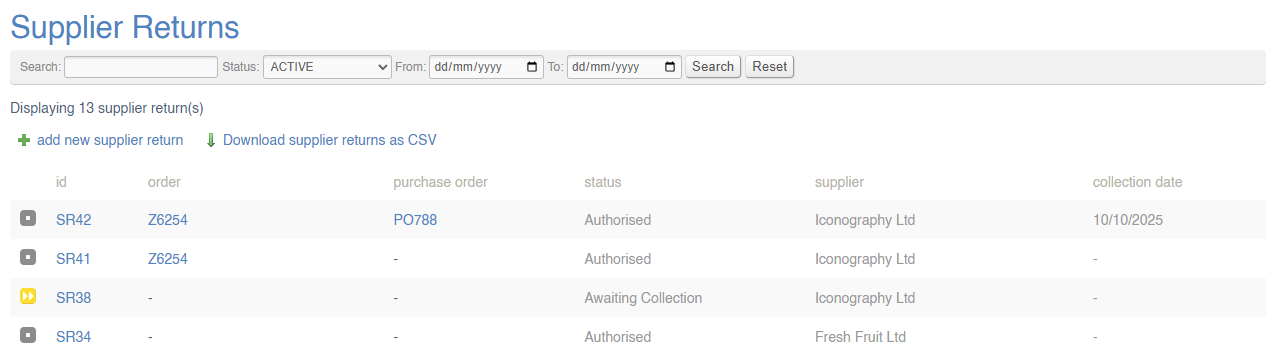
Key to icons
 = requested
 = authorised
 = awaiting
 collectioncollection/credit
 = completed
 = cancelled
Note: 'awaiting collection' Supplier Returns are those which are awaiting the stock unit to be collected by a Supplier; the 'awaiting credit' status is an additional step between 'awaiting collection' and 'completed'. While in this status, a user is only able to mark the Supplier Return as completed, or alternatively to add notes. It is intended that this be used to manage and track any Supplier Returns which are due credit notes, refunds or other forms of reimbursement from the Supplier.
Creating a new Supplier Return
Click here for a full guide on how to create a new Supplier Return.
Supplier Return Management
To manage a Supplier Return, click on the SR number.
For more information, click here.