
Related

This section is used to select Related, Upsell and Basket Upsells for Products and Variants. If not manually set, the default is to apply none.
This section allows products to be edited individually; editing in bulk is done with other tools, such as the CSV Upload or the Bulk Updater. These may also be controlled through Cross-Selling Rules.
You may use the tick boxes to select all of the Related, Upsell and Basket Upsell Products which are available.
Related Products
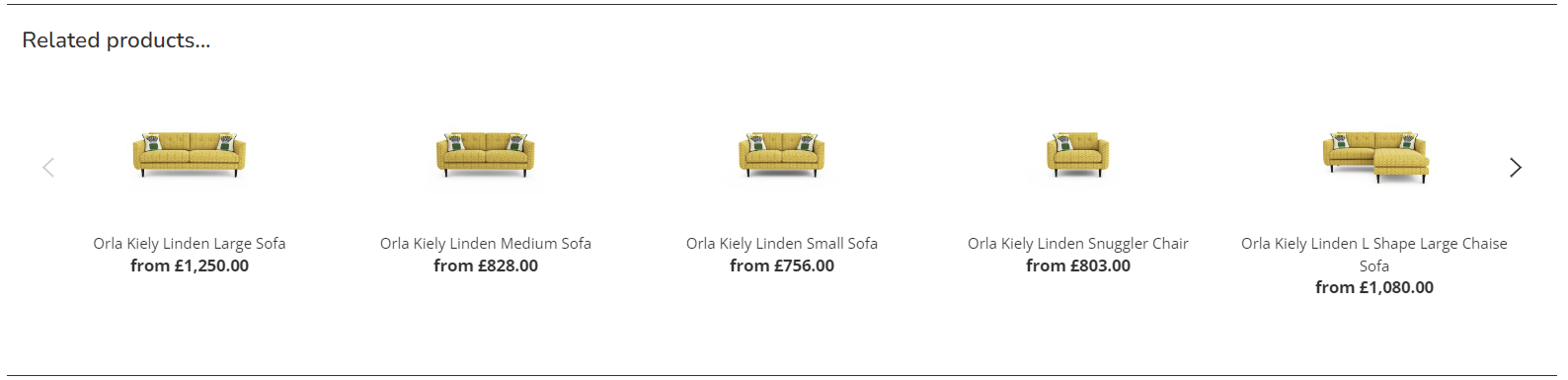
These are similar to a 'you may also like', and are displayed below the product description on the Product Detail Page.
Upsell Products
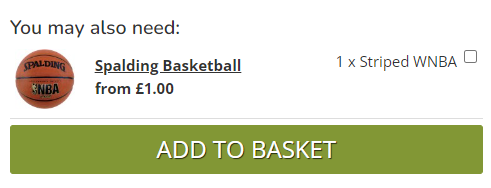
These are typically simple products, which should be single click upsells, e.g. scatter cushions or a basketball upsold to a pair of trainers. These will display near the add to basket button of the Product Detail Page.
Made to Order and Bundle products can not be upsells; due to the complexity of these products, they can not be single click adds to basket. Products with multiple variants are not recommended for Upsells - use Basket Upsells instead.
Basket Upsells
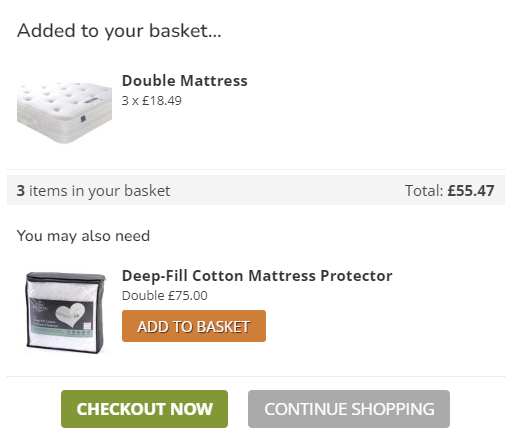
These are Variant to Variant upsells, and are applied to the add to basket pop up. Once an item has been added, the platform knows which Variant has been selected, which allows for dynamic upselling.
When setting these up,
A perfect use for this would be upselling a 'double' mattress protector to a customer who has bought a 'double' mattress, or 'size 10' socks to a customer who has bought 'size 10' shoes.
Made to Order Upsells
Made to Order and Bundle products can not be quick upsells; due to the complexity of these products, they can not be single click adds to basket.
It is possible to upsell Made to Order Products (e.g. with Customisations), if the original Product is also a Made to Order item.
For example, a customer seeks to purchase a Divan in Pink Velvet; you may wish to upsell a Headboard Product in the same colour. Both items are Made to Order. If the Headboard is linked to the Divan as an upsell, and the Divan is set to use the Swatch Wizard, then the customer will be asked to choose and configure upsells as part of the buying journey.
FAQs
How will my Upsells Display in the POS and CMS?
This page will show you how these can be viewed.
How can I control the sequence of my Upsells?
This page will show you how these can be controlled.
Why isn't my Upsell showing in the Add to Basket Popup?
There may be several answers for this:
- The upsell is a Made to Order Product
- The upsell is unavailable
- The upsell is already in the Customer's basket
- The upsell relates to another item in the Customer's basket, but not the one that they just added