
CSV Upload
Use this screen to import and export files to schedule pricing updates.

Import
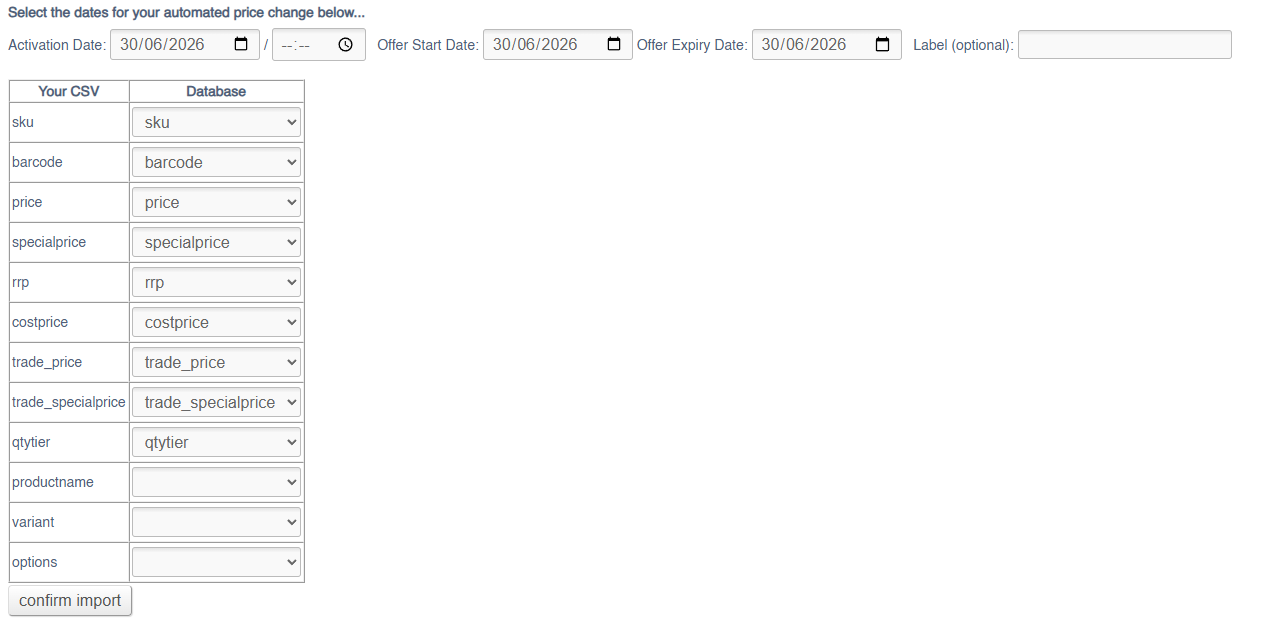
To import a file simply use the controls and map your data appropriately. You will also need to enter an activation date for your price changes.
The Label is optional, and is used to find your price changes once they have been uploaded; these are visible in the Timed Pricing report
Export
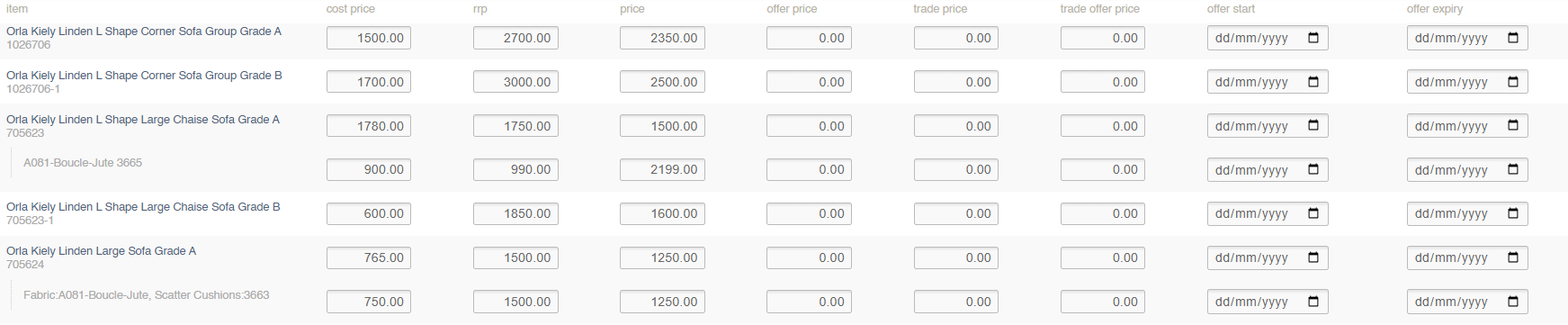
To export prices via a CSV, use the search and filters to locate the Products and Unique Stock Records that you need to edit. You can then export
Filters
This screen can be filtered by:
- Product Search (SKU Code/Name)
- Category
- Supplier
- Brand
- Collection
- Include Unique Stock Records (see below)
Unique Stock Records
If checked, Unique Stock Records will be shown, and pricing may be updated.
To be shown a Unique Stock Record must be enabled for POS or Web
Price Management File
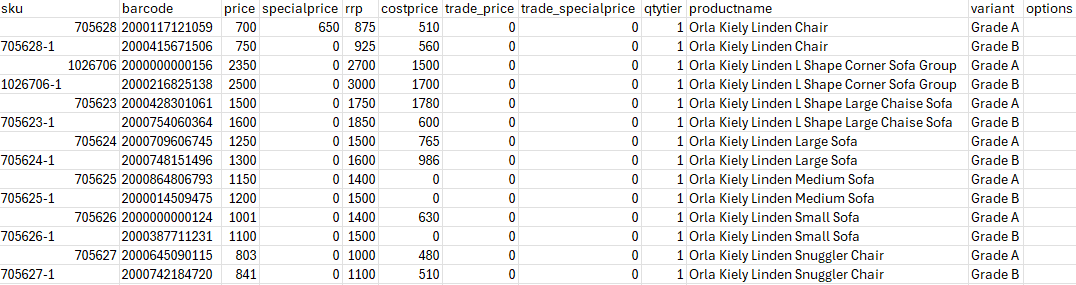
Use this file to adjust prices on your selected Products and Unique Stock Records.
| Field | Purpose |
| sku | SKU Code of the Product |
| barcode | Barcode of the Product/Unique Stock Record (for Unique Stock Records, this will take precedence on import) |
| price |
The selling price of the Variant
Defaults to 0 |
| specialprice |
A retail offer price for the Variant (this will supersede the Retail field), if enabled by the Offer Start/Expiry
Defaults to 0 |
| rrp |
The RRP of the Variant, to show on the website
Defaults to 0 |
| costprice |
The cost price of the Variant
Defaults to 0
May be set per Supplier enabled for this Product
This may only be used if the Product is linked to a single Supplier. If there are multiple Suppliers, you will need to use the Cost Price import. |
| trade_price |
The trade selling price of the Variant
Defaults to 0 |
| trade_specialprice |
A trade offer price for the Variant (this will supersede the Retail field), if enabled by the Offer Start/Expiry
Defaults to 0 |
| qtytier | Use to enter and control tiered pricing linked to quantity sold |
| productname |
Shows the Product Name
Not editable via in this import/export |
| variant |
Shows the Product Variant Options
Not editable via in this import/export |
| options |
Shows the Customisations linked to a specific Unique Atock Record
Not editable via in this import/export |